


trendyyboxer
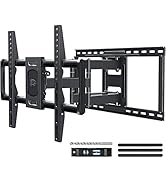
Mounting Dream TV Wall Mount - Full Motion Swivel & Tilt Bracket for 32-65 Inch TVs | Max VESA 400x400 mm, 99lbs Capacity
Mounting Dream TV Wall Mount - Full Motion Swivel & Tilt Bracket for 32-65 Inch TVs | Max VESA 400x400 mm, 99lbs Capacity
Regular price
$79.95 USD
Regular price
$131.99 USD
Sale price
$79.95 USD
Unit price
per
Taxes included.
Shipping calculated at checkout.
Couldn't load pickup availability
- Universal TV Wall Mount: TV bracket fits most 32-65" TVs up to 99 lbs, with max VESA of 400mm x 400mm / 16" x 16" mounting hole spacing, designed for standard 16" studs. If your wood stud spacing exceeds 16 inches, please refer to the 16", 18", 24" wood stud full motion TV mount MD2380-24K
- Enhance Viewing Experience: This full motion TV wall mount tilts TV up 5° and down 15° to reduce glare, and swivels TV left or right according to your seat position. Pull out to 17.5" and retract back to 3.4", making your TV alive to move
- Easy Installation: TV mount comes with clear instructions and hardware in pre-labeled bags. +/-3° post-installation adjustment allows TV leveling after installation. The paper template makes the installation of the TV wall mounting bracket easier. Considerate design for Allen key storage
- Heavy-Duty Unit: TV wall mount swivel and tilt are designed with 6 articulating arms. The technology of robot welding makes this TV mount sturdy and safe
- US-based Customer Support: We are glad to answer your pre-purchase and installation questions about TV wall mounts. Mounting Dream wall mount TV bracket are NOT FOR DRYWALL INSTALLATION. (Concrete Anchors available on request. Anchors Specifications:φ10x50mm)

Previous page
-

-
-

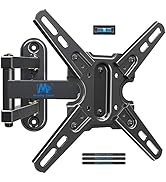
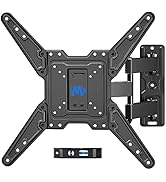
26-90" FULL MOTION TV MOUNT
Visit the Store
-
-
-
-





Next page


